This plugin provides:
- an online payment form,
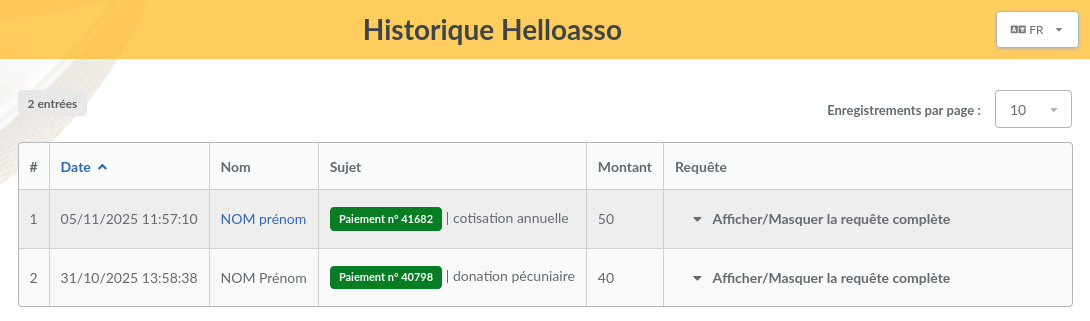
- a payment history,
- automatic creation of contributions once payments are validated.
Note — This plugin requires your Galette instance to be publicly reachable and served with a valid SSL certificate.
Installation
First, download the plugin:


Extract the downloaded archive into the Galette plugins directory. For
example, on Linux (replacing {url} and {version} with the matching values):
$ cd /var/www/html/galette/plugins
$ wget {url}
$ tar xjvf galette-plugin-helloasso-{version}.tar.bz2
Database initialization
This plugin needs several tables in the database. See Galette’s plugins management interface.
And that’s it, the HelloAsso plugin is installed. :)
Using the plugin
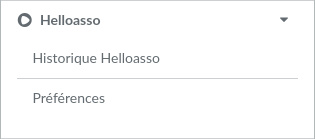
Once the plugin is installed, a Helloasso group is added to the Galette menu when a user is logged in. It lets administrators and staff members set the plugin preferences and browse the payment history.
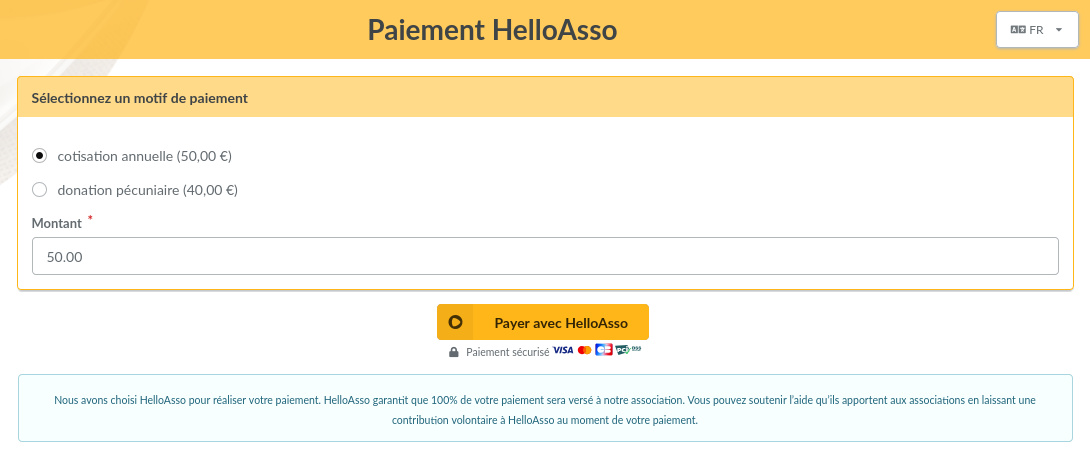
The payment form is available from Galette’s public pages.
Only users logged in to their account can pay contributions with membership extension (membership fees).
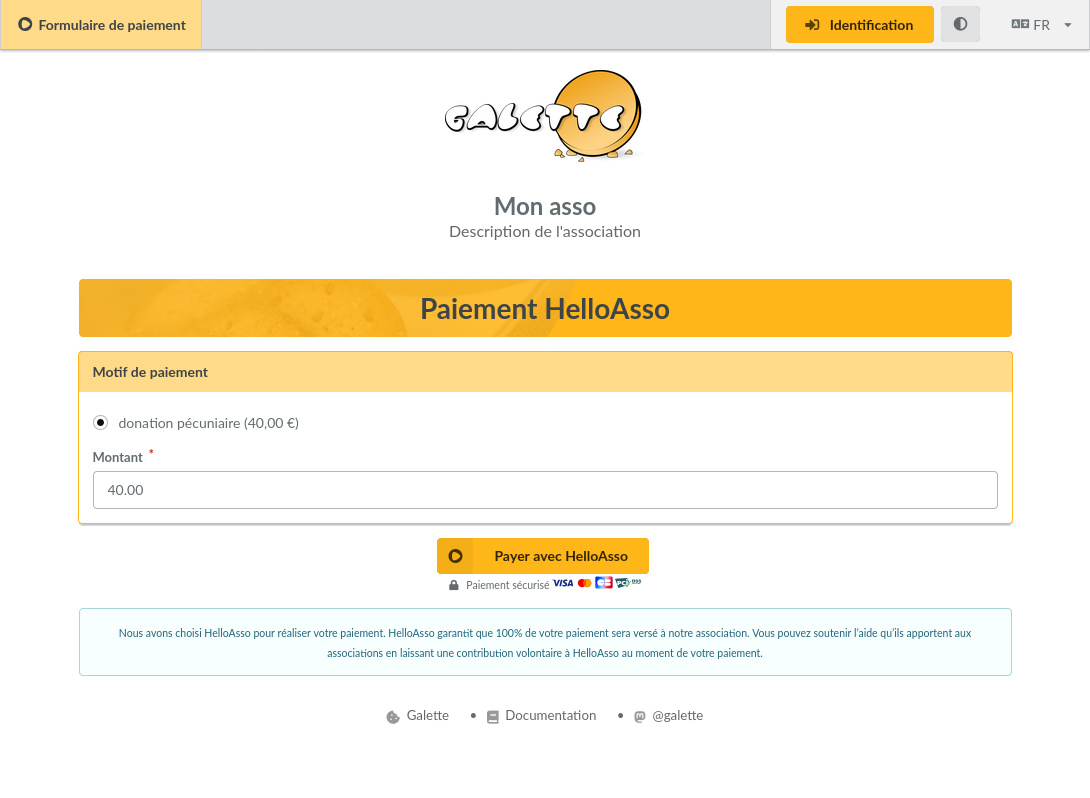
Visitors (users not logged in to their account) can only pay contributions without membership extension (donations). In that case, no contribution is created in Galette: the payment only appears in the plugin’s payment history.
Preferences
Settings
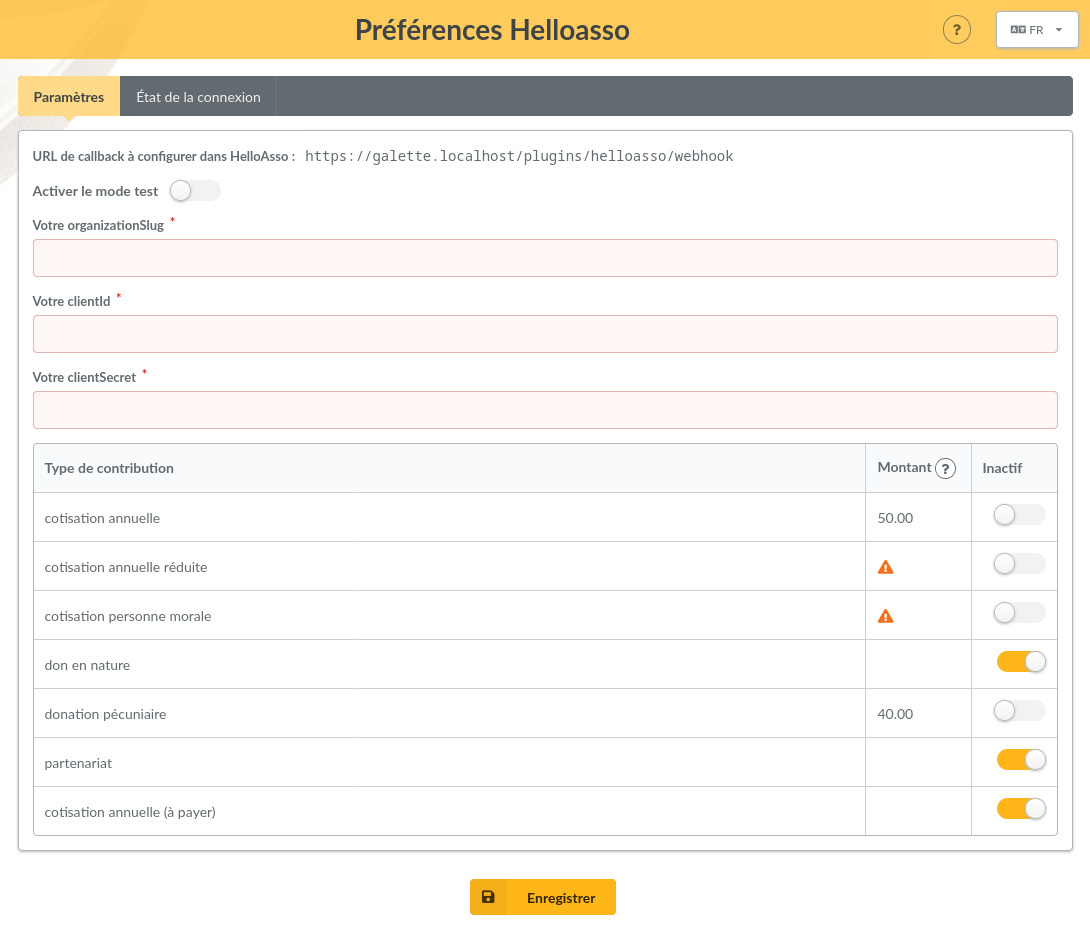
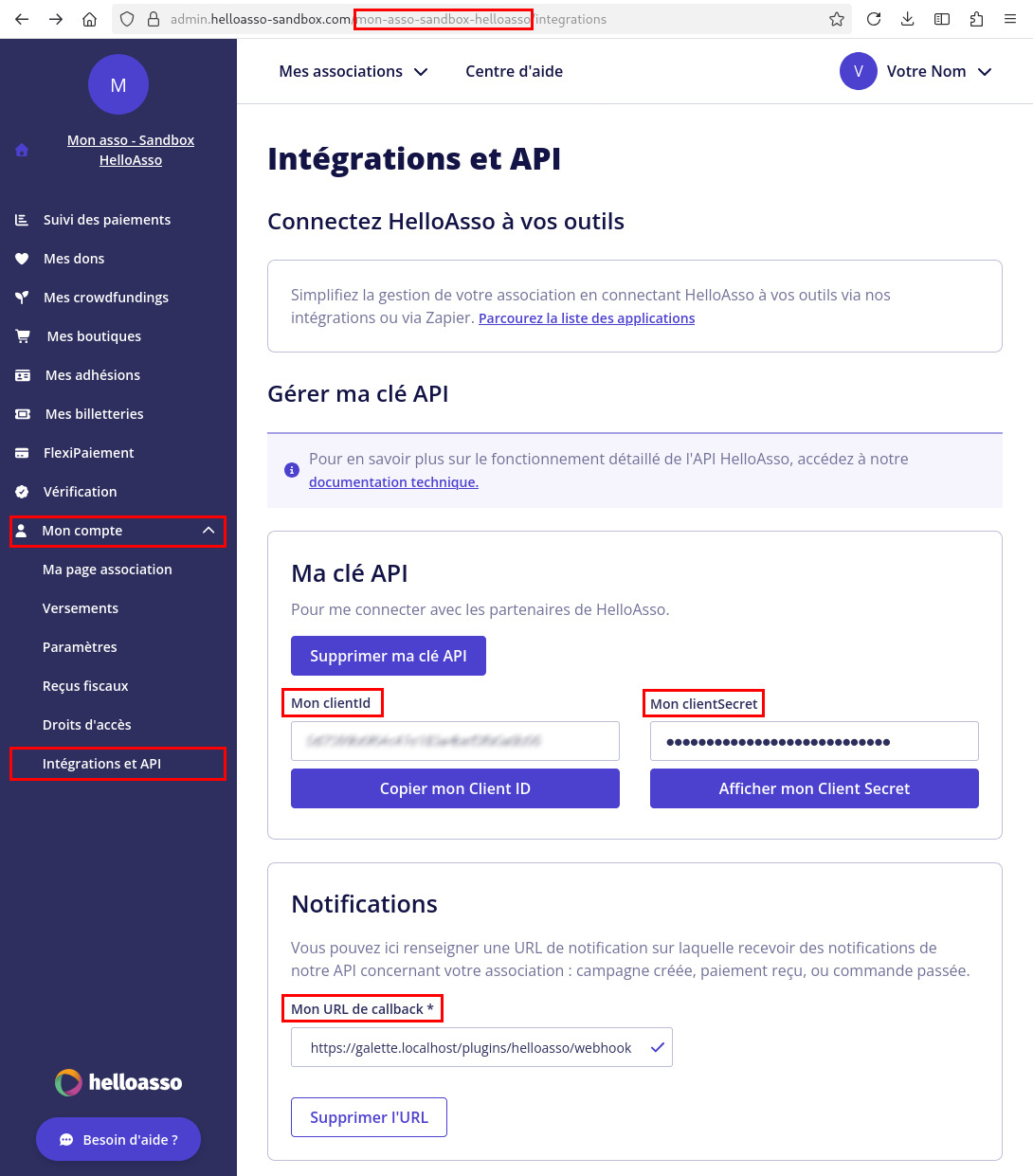
- Callback URL to set in HelloAsso: enter this URL in the “Mon URL de callback” field, in the “Intégrations et API” section of your association’s HelloAsso account.
- Enable test mode: to use test mode, first create a test account on helloasso-sandbox.com. You can then check how the plugin works without making real online payments. WARNING in this mode, never use real credit card numbers, only test cards (see the test cards list from Stripe or from Worldline).
- Your organizationSlug: you will find it in your browser’s address bar
while logged in to your association’s HelloAsso account. It is the first part
of your account URL path. For example, in the URL
https://admin.helloasso.com/{organizationSlug}/accueilit is {organizationSlug}. - Your clientId: you will find it in the “Mon clientID” field, in the “Intégrations et API” section of your association’s HelloAsso account.
- Your clientSecret: you will find it in the “Mon clientSecret” field, in the “Intégrations et API” section of your association’s HelloAsso account.
-
Contribution types: in this table, you can disable the contribution types configured in Galette that you do not want to offer as a payment purpose on the online payment form.
Contribution types with a zero amount, or no amount set, are never offered as payment purposes on the form, even if they are not marked as inactive in the table.
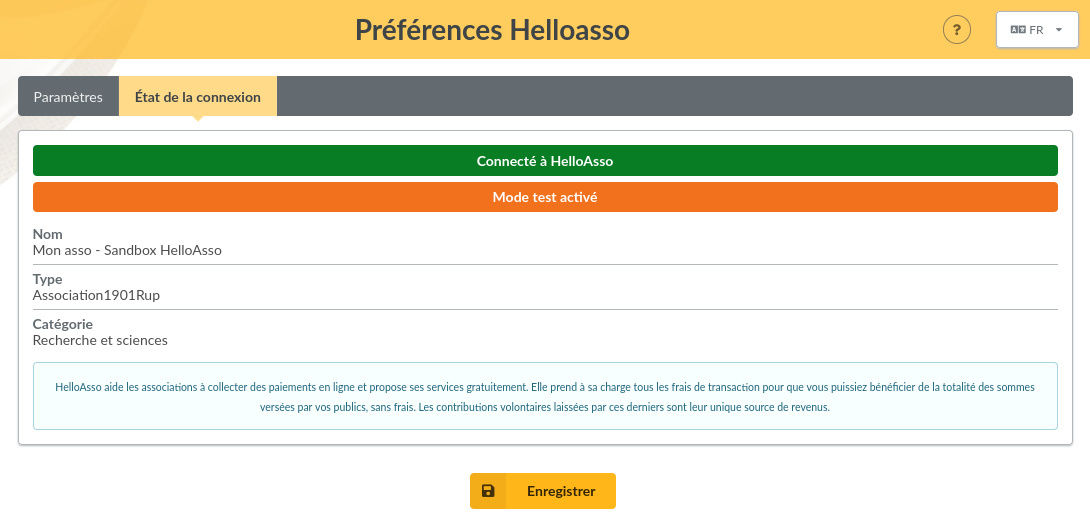
Connection status
This screen shows whether the plugin is correctly set up and connected to HelloAsso.