Warning
PayPal is discontinuing its legacy Website Payments Standard (WPS) integration, with full transaction processing termination scheduled for January 2027. This plugin is not compatible with any other integration.
This plugin provides:
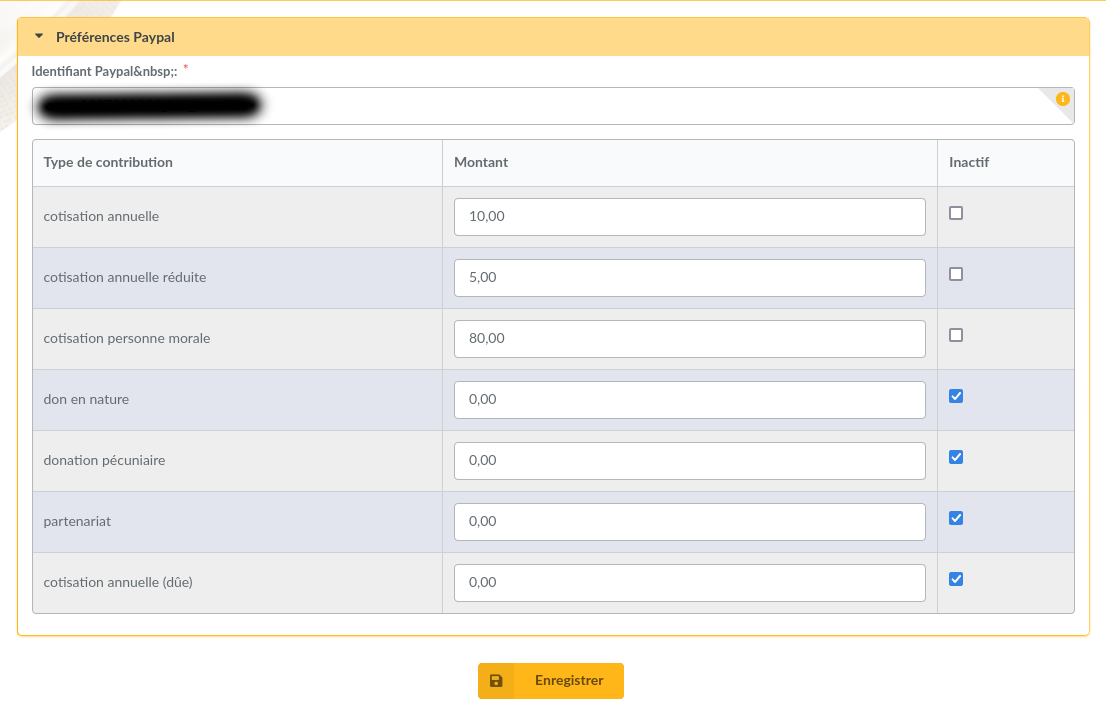
- possibility to associate an amount to a contribution type,
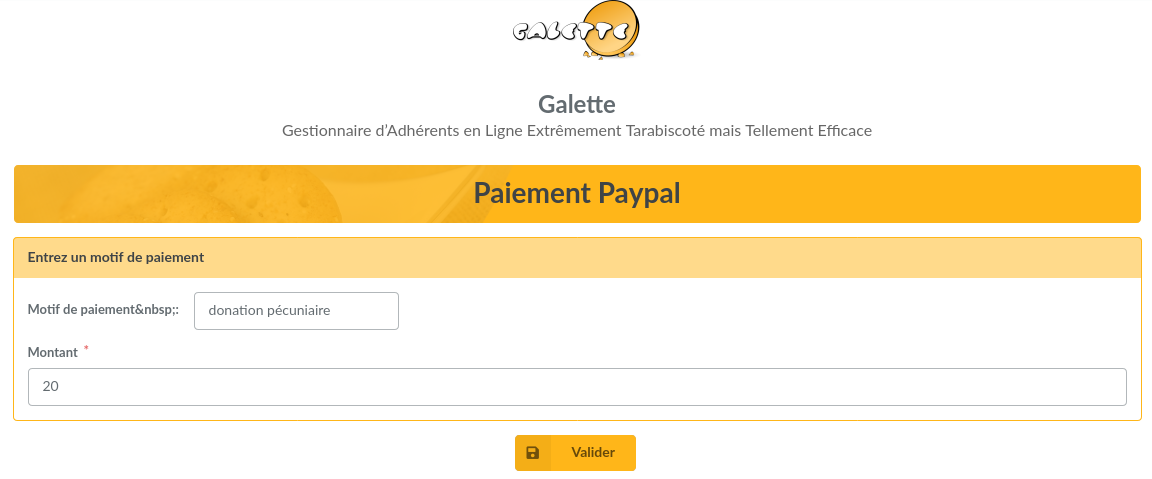
- create a Paypal payment form,
- an history,
- automatic transaction storage once validated.
Warning
Due to the way Paypal payments are handled, especially the payment confirmation, your instance must be publicly accessible.
Installation
Als erstes, Lade das Plugin herunter:
Extract the downloaded archive in Galette plugins directory. For example,
under linux (replacing {url} and {version} with correct values):
$ cd /var/www/html/galette/plugins
$ wget {url}
$ tar xjvf galette-plugin-paypal-{version}.tar.bz2
Datenbank Initialisierung
Damit es Funktioniert, benötigt dieses Plugin verschiedene Tabellen in der Datenbank. Weiteres sehen sie hier Galette plugins management interface.
And this is finished; Paypal plugin is installed :)
Plugin configuration
Once plugin has been installed, a Paypal group is added to the menu, with some
new entries:
Payment form: the payment form itself, which is accessible as a public page,Preferences: plugin preferences, accessible for administrators and staff members.
In order to work properly, you need to fill a very important value: your Paypal account code. You can either use the email address associated with your Paypal account (but you will need to change it in Galette if it changes on Paypal) or your merchant identifier. To find your merchant identifier, log in to Paypal and you will find it in your account preferences. Changing identifier is only allowed for administrators.
Preferences screen also permit to edit amount related to contributions types, and to hide some types.
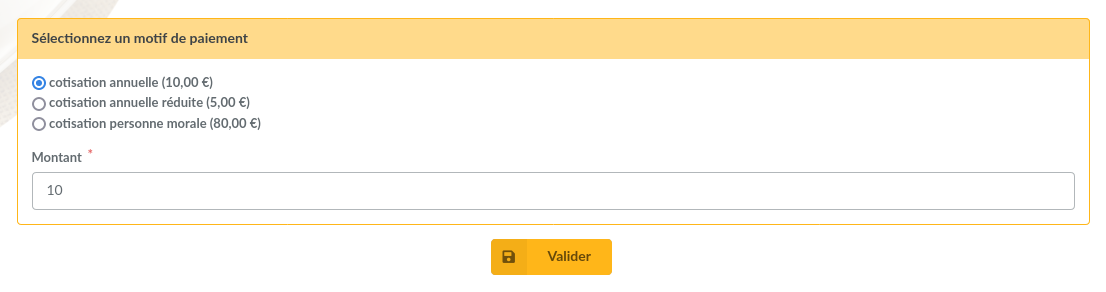
After that, any user can choose the contribution type, adjust the amount and pay from his Paypal account. If the user is a logged in member, and if the contribution type is a membership extension, its membership will be recalculated when the payment will be confirmed.